Deposit Flow
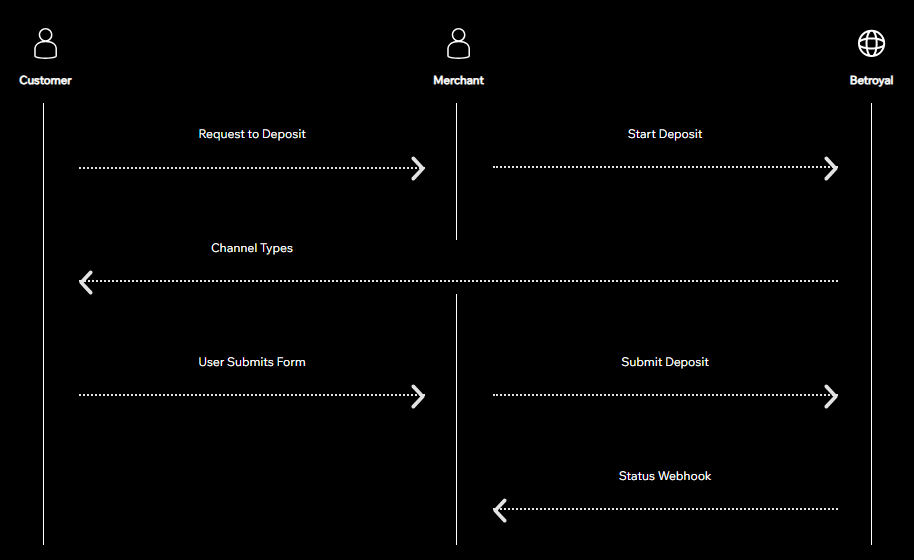
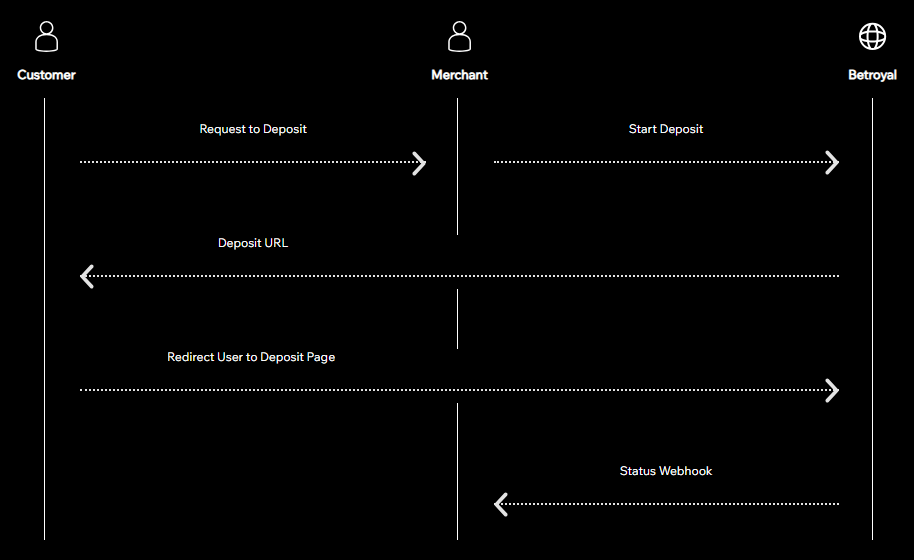
Send a request to start a deposit, then redirect the payor to the 'deposit_url' provided in the repsonse body. Alternatively, if you would like to keep users on your site you can use the 'channel_types' provided in the response body to build your own
deposit submission form (see step 2 below).
See More
If you are using the 'deposit_url', you can skip this step. Use the 'channel_types' to display deposit options to the user. After they have selected a channel then you can call the 'Submit Deposit' endpoint with required parameters.
See More
Listen for webhooks to be notified when the deposit status is updated to 'confirmed'
See More
Option 1: Use Deposit URL
Option 2: Custom Form